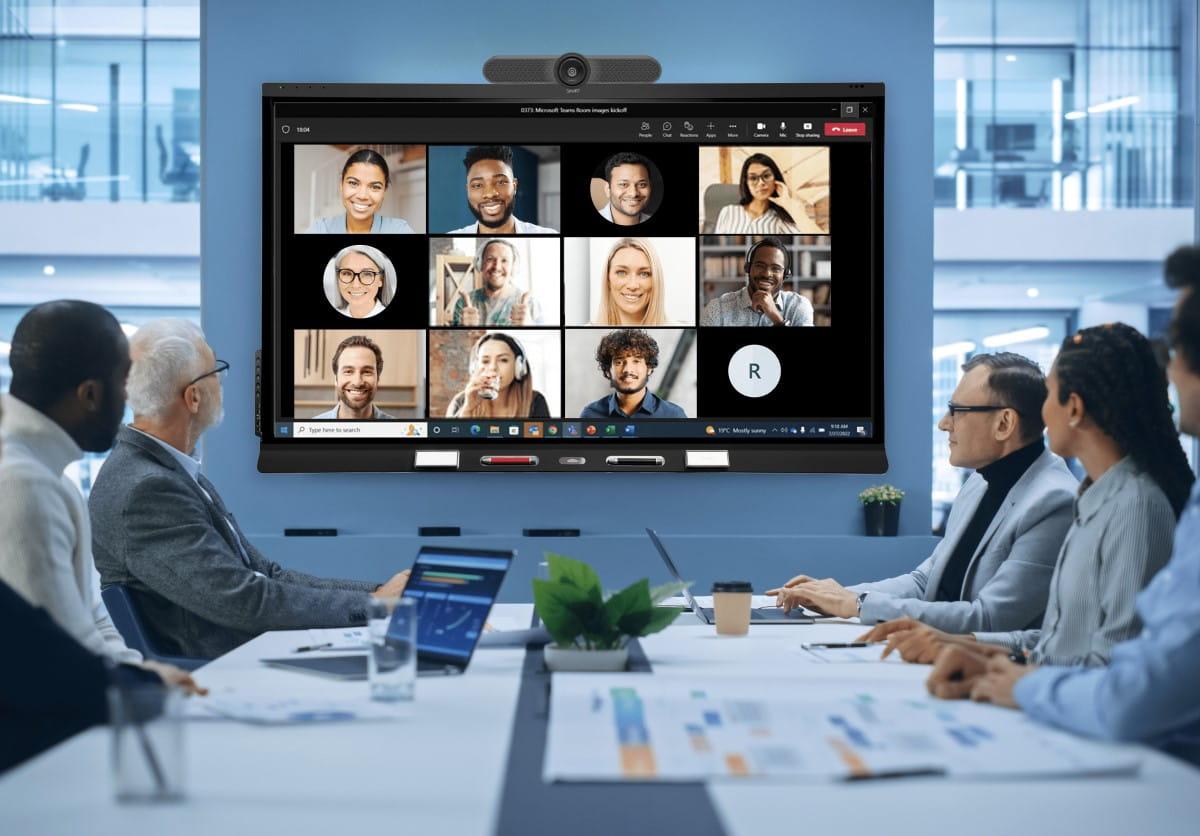
Top AV Mistakes Businesses Make During Office Setup
Introduction
In today's workplace, Audio Visual (AV) technology plays a crucial role in communication, collaboration, and productivity. From conference rooms and boardrooms to training centers and command centers, businesses rely heavily on AV systems for seamless operations.
However, many organizations make critical AV planning mistakes during office setup that lead to poor performance, increased costs, and frequent technical issues. Proper AV planning from the beginning can save time, money, and future upgrade expenses.
Let's explore the most common AV mistakes businesses make and how to avoid them.
1. Ignoring AV Requirements During Office Design
One of the biggest mistakes is considering AV systems only after office construction is complete.
Many businesses focus on furniture, interiors, and networking while overlooking display placements, cable pathways, power requirements, and acoustic considerations.
Best Practice:
Plan AV requirements during the office design phase to ensure smooth integration and minimal rework.
2. Choosing Technology Based Only on Price
Selecting the cheapest display, projector, camera, or conferencing equipment often results in poor user experience and frequent maintenance issues.
Low-cost solutions may lack:
- Reliability
- Scalability
- Integration capabilities
- Long-term support
Best Practice:
Invest in business-grade AV solutions that offer performance, durability, and future expansion options.
3. Poor Meeting Room Audio Planning
Many offices invest in large displays and cameras but neglect audio quality.
Common issues include:
- Echo and feedback
- Uneven sound coverage
- Background noise
- Poor microphone pickup
Even the best video conferencing setup becomes ineffective if participants cannot hear clearly.
Best Practice:
Use professional microphones, speakers, and acoustic treatments designed for meeting room environments.
4. Inadequate Display Sizing
A display that is too small for the room can affect visibility and engagement.
Employees sitting at the back may struggle to view presentations, dashboards, or video conferences.
Best Practice:
Choose display sizes based on room dimensions, viewing distance, and seating capacity.
5. Lack of Future Scalability
Many businesses purchase AV systems only for current requirements.
As organizations grow, meeting rooms may require:
- Additional displays
- Video conferencing upgrades
- Wireless collaboration tools
- Digital signage integration
Best Practice:
Select scalable AV solutions that can expand with business needs.
6. Ignoring Network Infrastructure Requirements
Modern AV systems depend heavily on network connectivity.
Poor network planning can lead to:
- Video lag
- Audio interruptions
- Connectivity issues
- Reduced conferencing performance
Best Practice:
Ensure AV systems are integrated with a robust network infrastructure and sufficient bandwidth.
7. Not Considering Hybrid Work Environments
With hybrid work becoming the standard, many organizations still deploy AV systems designed only for in-office meetings.
This creates challenges for remote participants.
Best Practice:
Implement collaboration solutions that support seamless interaction between in-office and remote teams.
8. Poor Cable Management
Visible cables not only look unprofessional but also increase maintenance challenges and safety risks.
Common issues include:
- Tangled cables
- Difficult troubleshooting
- Accidental disconnections
Best Practice:
Use structured cabling and professional cable management systems.
9. Overlooking User Training
Even advanced AV systems can fail to deliver value if employees don't know how to use them effectively.
Best Practice:
Provide user training and simple operating procedures for conference room technologies.
10. Not Partnering with an Experienced AV Integrator
Many businesses purchase AV products from multiple vendors without proper system integration.
This often results in compatibility issues and inconsistent performance.
Best Practice:
Work with an experienced AV integration company that can design, deploy, and support a complete solution.
Why Professional AV Planning Matters
A well-designed AV infrastructure delivers:
- Better collaboration
- Improved communication
- Enhanced employee productivity
- Seamless video conferencing
- Reduced operational issues
- Long-term return on investment
Businesses that plan their AV systems strategically can avoid costly mistakes and create future-ready workspaces.
Conclusion
Audio Visual technology has become a critical component of modern office environments. Avoiding common AV mistakes during office setup ensures smoother communication, better meeting experiences, and higher productivity.
Whether you're building a new office, upgrading conference rooms, or implementing hybrid work solutions, partnering with an experienced AV integration provider can help you achieve the best results.
Mentor Infocomm India Pvt. Ltd. specializes in Audio Visual System Integration, Video Conferencing Solutions, Digital Signage, Control Rooms, and Enterprise Collaboration Technologies tailored to modern business environments.





 Call Now